PRISM Analyzer
Plug-in · inside the DAW
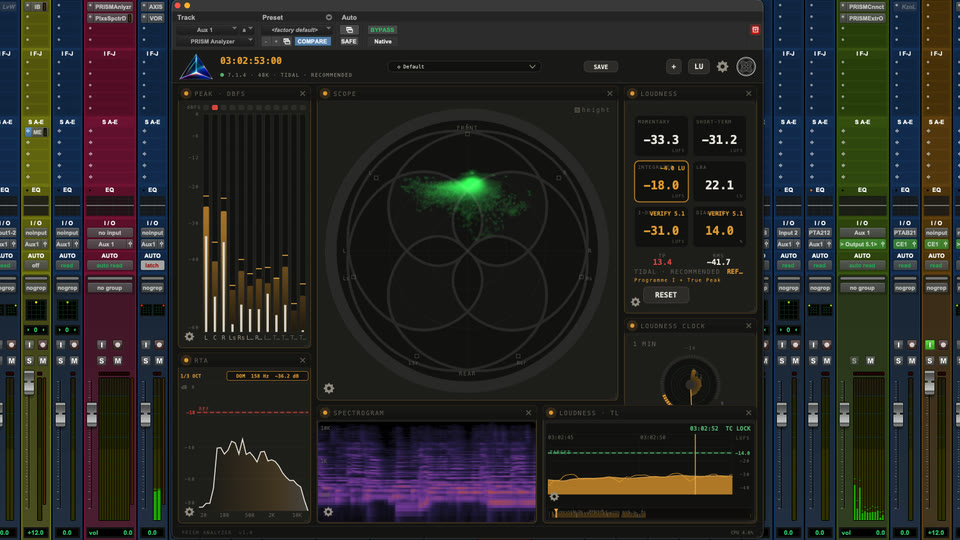
Build the complete board of all 18 meters and scopes in your session.
The multi-tool of audio analysis.
Every meter, every scope, every check — on one board you build yourself. Inside the DAW, on iPad, on Mac, or directly over the picture.
One licence, three plugins. The iPad and Mac apps are free.
Four ways to see the same measurements: in the plug-in, on iPad, in the Mac app or directly over the picture.
Plug-in · inside the DAW
Build the complete board of all 18 meters and scopes in your session.
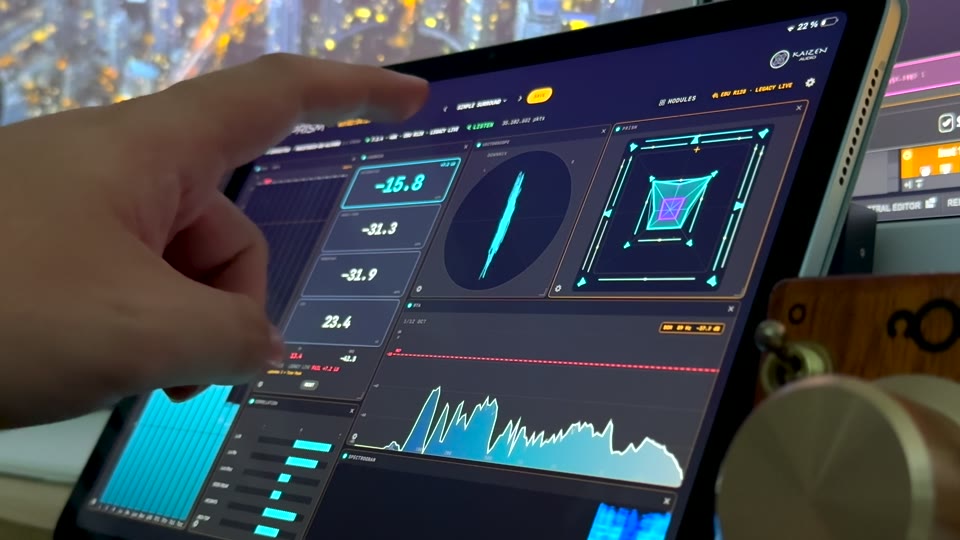
App · at the console
Put a touch-controlled meter board beside the faders or anywhere in the room.
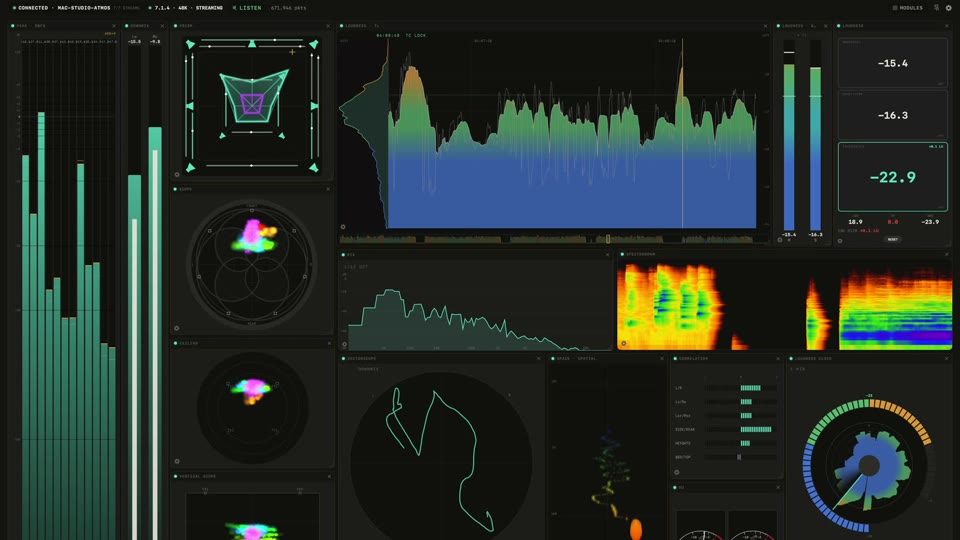
App · on a second display
Move the same sources and layouts to the session Mac or another Mac on the network.
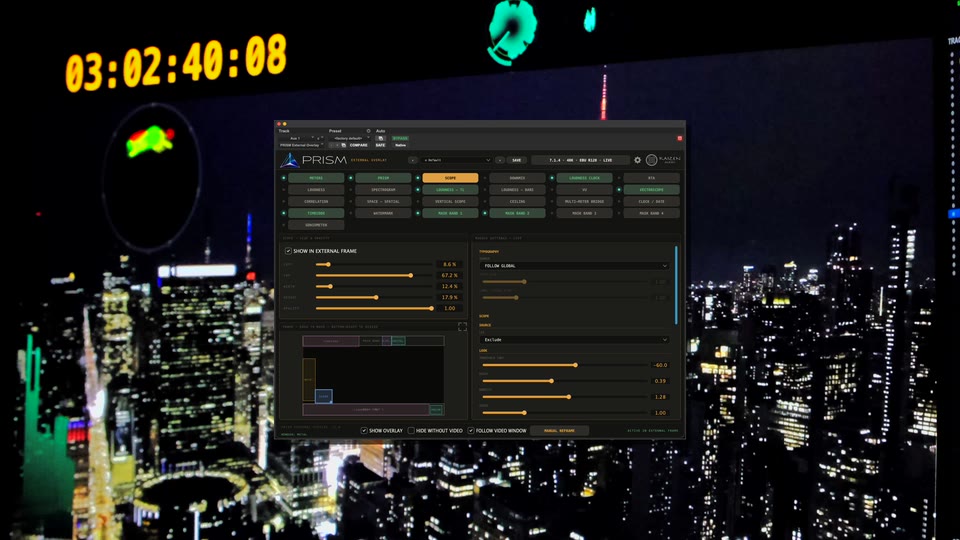
Plug-in · over the picture
Place selected measurements where your eyes already are, without covering the session.
PRISM Connect is the bridge between them: it publishes the master and the stems you choose so every PRISM view stays fed and in sync.
No two studios meter the same — so PRISM doesn’t come with a fixed screen. It comes with modules. Add the ones you use, drop the ones you don’t, arrange them your way, make them any size.
Want the same meter twice, each watching a different stem? Add it twice. When it’s perfect, save the whole board as a preset — every module, every setting, every colour.
Everything you’d bolt onto a meter bridge, and a few things you couldn’t. Click a module and see what it does.
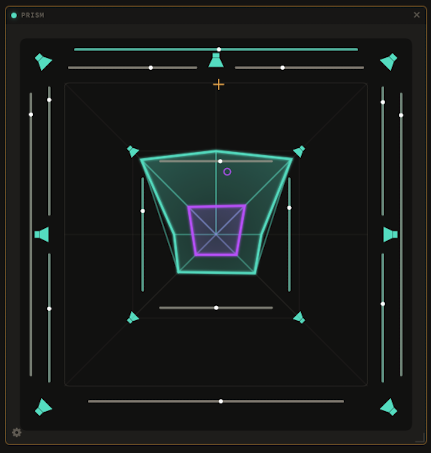
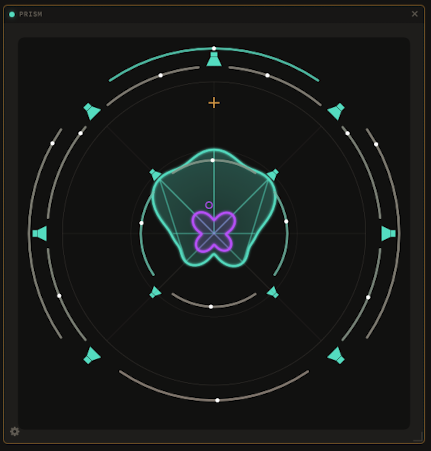
The signature view: a living shape that shows where the energy of your mix sits in the room.
A live polygon of where the energy sits, a phase bezel around it, and the centroid of the whole field. The view the plugin is named after.

Every channel of your mix, on your scale, in your colours.
True peak, RMS, K-System — with your ballistics, your colour zones, your floor. Duplicate it and point each copy at a different stem.
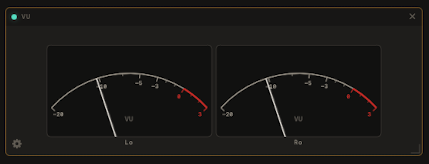
Classic needles for every channel, with the reference level your room uses.
Dark or cream faces, adjustable 0 VU reference, clip LEDs and channel views from the full layout to a live stereo downmix.
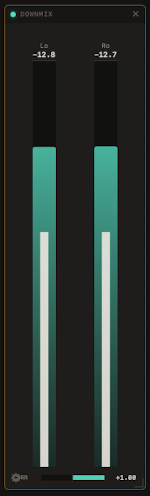
See the stereo fold before it becomes somebody else’s problem.
Lo/Ro peak and RMS, correlation and the same ITU coefficients used by VORTEX — with Recovery Lock showing when the fold is standard.
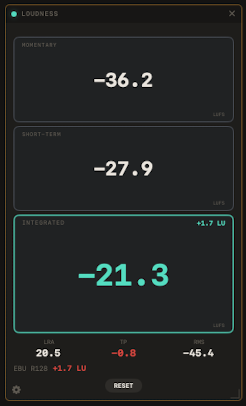
Pick your delivery — EBU R128, Netflix, cinema — and it reads PASS, or tells you by how much you’re off.
Momentary, short-term, integrated, range and dialogue loudness (I-DLG), measured against the profile you’re delivering to. The QC badge is the sign-off at a glance.

Momentary, short-term and integrated loudness in one hardware-style view.
Three configurable bars with target lines, colour zones, numeric readouts and peak hold — linked to the Timeline or independently tuned.

The last hour of your mix in one circular sweep. One glance, whole story.
A circular loudness history, from one minute to a full hour per revolution. You know if the programme behaved without scrubbing anything.
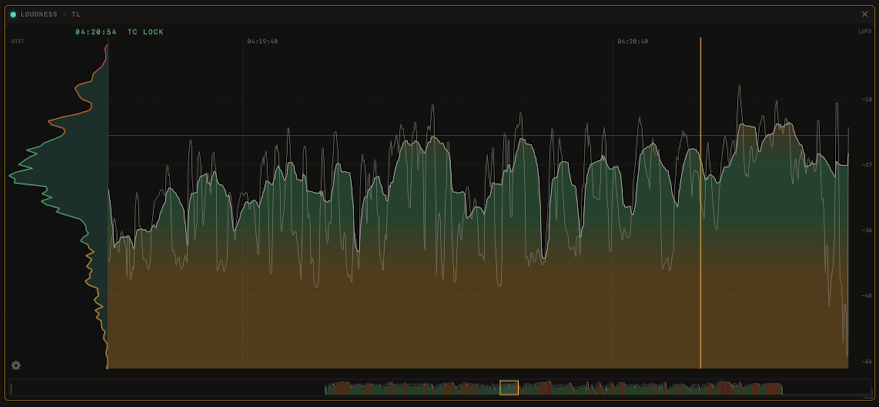
Your programme’s loudness over time, locked to the session clock.
The whole programme on one strip, locked to session timecode — up to 24 hours — with the distribution histogram built in.
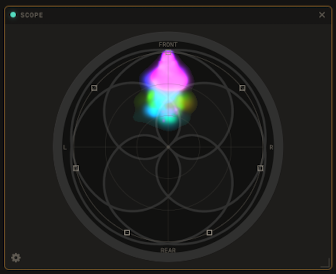
Your mix from above — energy floating exactly where you placed it.
The room seen from the top, energy as particles. You watch the mix breathe exactly where you panned it.
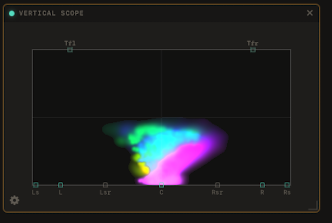
The front wall, floor to ceiling. See height, not guess it.
The frontal view: azimuth across, floor to ceiling up. Height stops being an act of faith.
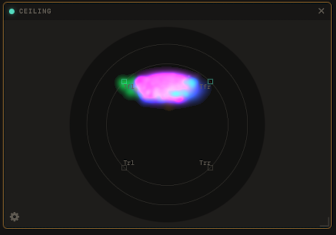
What’s happening over your head, on its own screen.
The height layer isolated, top-down — check what the Atmos ceiling is really doing at any moment.
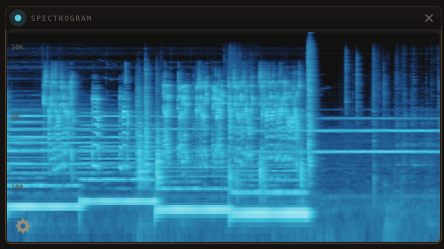
Every frequency, scrolling by as it happens.
Frequencies scrolling in real time, 20 Hz to 20 kHz. Spot the hum, the whistle, the resonance — before the client does.
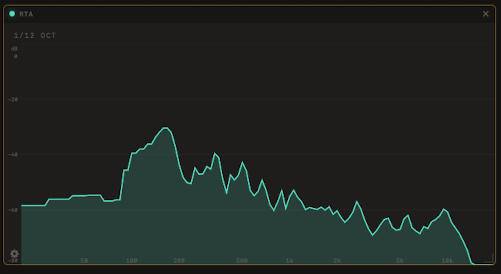
The classic analyser, as fine as 1/12 octave.
The real-time analyser you grew up with, from 1/1 down to 1/12 octave, with response and tilt to your taste.
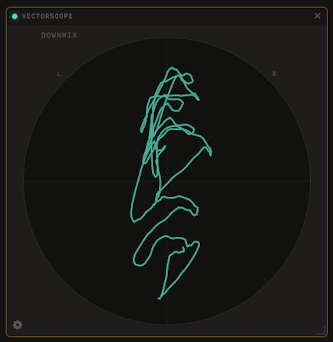
Stereo phase at a glance.
The stereo image, drawn — width, phase and balance in the shape you already know how to read.
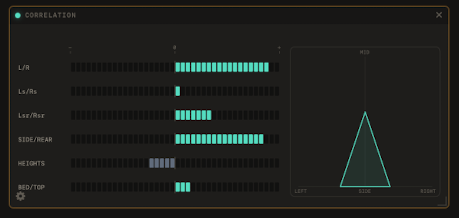
Know it’s mono-safe before anyone asks.
Correlation per group — fronts, surrounds, heights — so mono compatibility never surprises you at the end.
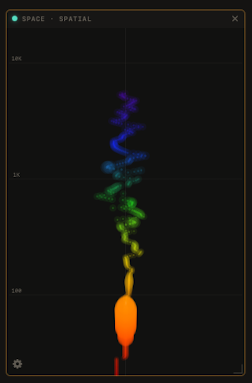
Frequency up, balance across — the mix as a landscape.
The mix as a landscape: frequency up, balance across. You see where every band of energy lives.
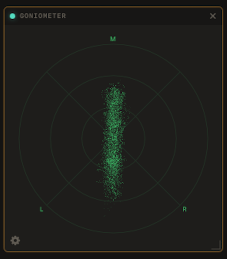
A stereo particle cloud for width, balance and phase.
Choose Front, Rear, Downmix, Centre/LFE or Lt/Rt, then tune persistence, colour and particle behaviour like any other board module.
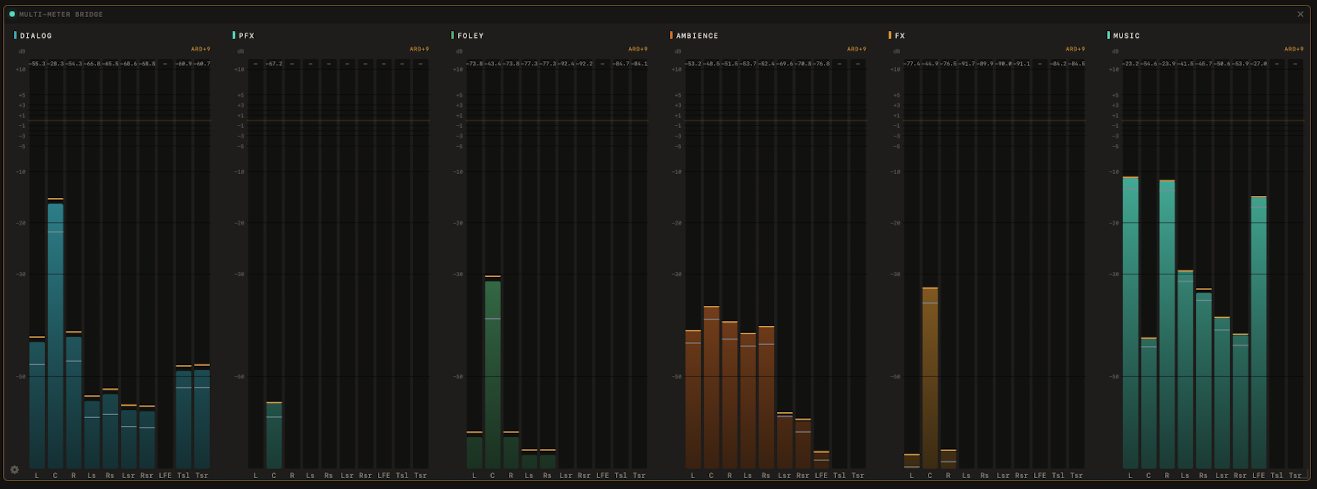

All your stems side by side, each with its own name and colour.
Several meters in one tile: your named stems side by side, each with its own colour and scale — collapse any of them to a single bar.
PRISM External Overlay is the third plug-in in the suite and the fourth way to see its measurements. Place only the instruments you need over the DAW video window or any frame you define, while the picture and session remain visible underneath.
Use all 18 PRISM instruments, Clock / Date, Timecode, Watermark and four Mask Bands. Each layer has its own position, size and opacity.
Lock the click-through composition to the DAW video window, or use Manual Reframe for any other screen area or display.
Recall complete layouts from the session or start from the included factory presets. The overlay keeps running with the plug-in editor closed.


 | Free iPad & Mac apps
 The plugins are native and they live in your session — you never have to leave the DAW. But when you want the meters off your mix window, put them on an iPad at the console, on the Mac app on the same machine, or on another Mac across the room. Choose the layout, sources and meter views from the receiver while PRISM Connect keeps the mix and stems in sync. Up to four screens can follow one machine. The iPad and Mac apps render on Metal, Apple’s native graphics engine, so every meter moves smoothly and looks sharp without loading the machine. Both receiver apps are free.
Wi-Fi is fine for watching the master. As soon as you start pulling several stems at once, a USB-C to Ethernet adapter on the iPad takes the network out of the equation — we recommend one.
Up to four screens per machine, in sync with your session clock.

PRISM Monitor for iPad
iPadOS 17 or later · free, no account
Download on the App StoreThe Mac app comes in the plug-in installer — macOS 14 or later, Apple Silicon, free. Nothing else to download.
Try PRISM before you buy anything. The iPad app is a free download with a demo mode built in: no plugin, no session, no account — open it and you can already drop modules, resize them and build your own layout to see how the board feels.
The apps collect nothing and need no account — app privacy policy.
Drop the little Connect plugin on the stems you care about — dialogue, music, effects — and give each one a name. That’s it. They all appear on your board and on your iPad, side by side, each with its own label and colour.
This is where PRISM gets big: up to twelve separate stems, each on its own meter, for total control of the mix. And every module can be duplicated — a spectrogram per stem, a loudness per stem, a scope per stem — until the board is exactly the panel you always wanted.
The meter bridge of a mixing console — without the console. Yours to arrange, for the price of zero rack units.
27 delivery profiles in three honest groups. Pick who you’re delivering to and every meter, radar and timeline snaps to their rules. When it’s right, the badge says so.
Official standards
Platforms · based on the published spec
Playback references
Measured exactly as the standards are written — no flattering, no shortcuts. Five honest verdicts: PASS · FAIL · VERIFY · REFERENCE · MEASURE.
Dialogue loudness (I-DLG) and dialogue % are built in, so you have your dialnorm reading on the same meter.
Enter TC IN and TC OUT for the section that should not count. PRISM removes that interval and recalculates Integrated, LRA, distribution and radar without throwing away the rest of a long programme.
Start a new programme and RESET clears the loudness history across Analyzer, Connect and every receiver, so every screen begins from the same zero.
PRISM was built at Blacktone Studio for our own immersive rooms — the board we stare at all day, on our own sessions. Every module is there because a real delivery needed it.
Try it free for 15 days. Buy when you’re ready.
One licence, three plugins. The iPad and Mac apps are free.
Questions? hello@kaizen.audio
You already have access
Designed by sound engineers, for sound engineers.
Nineteen sections covering Analyzer, Connect, both Monitor apps, External Overlay, every module, second-screen workflows, RESET, HEAL and troubleshooting.
Read the PRISM manual