Independent voices
Isolate and audition each performance, even where both voices are speaking at the same time.

Separate the voices. Control the mix.
Isolate two voices, even when they overlap, and keep the residual noise separate for control in the mix. Local AI, GPU-accelerated and optimised for Apple Silicon — directly inside AudioSuite, without uploading your audio or leaving the plugin.
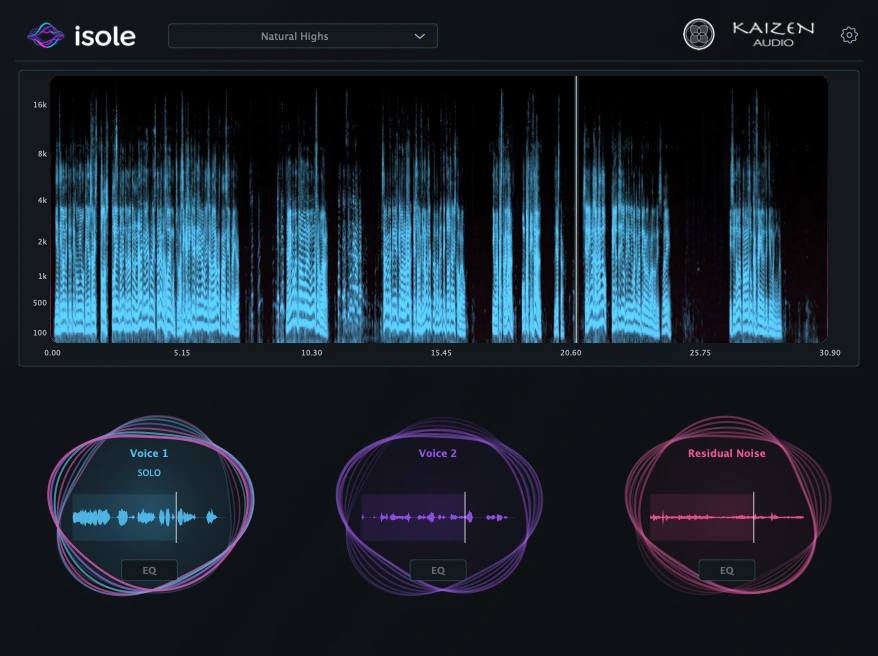
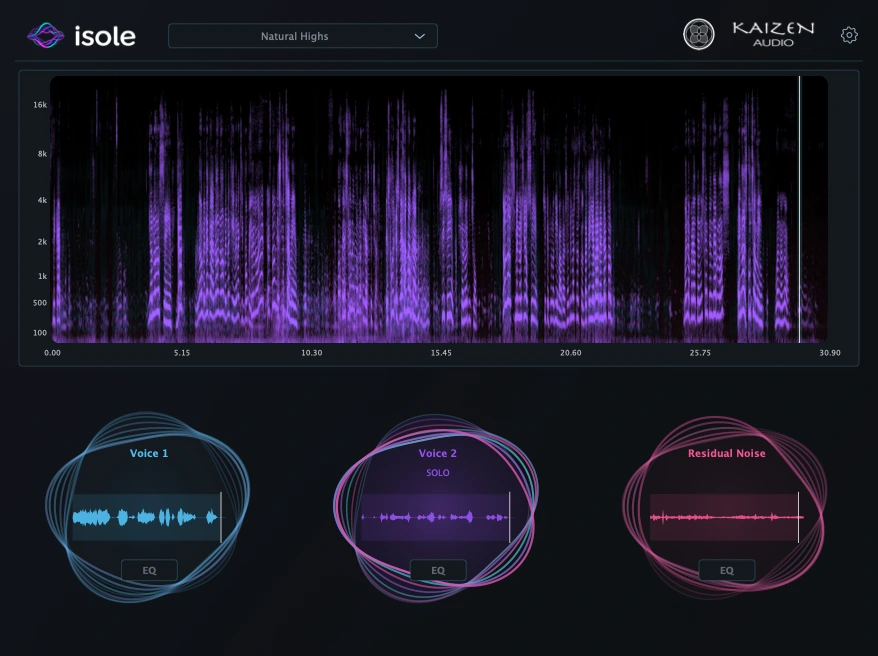
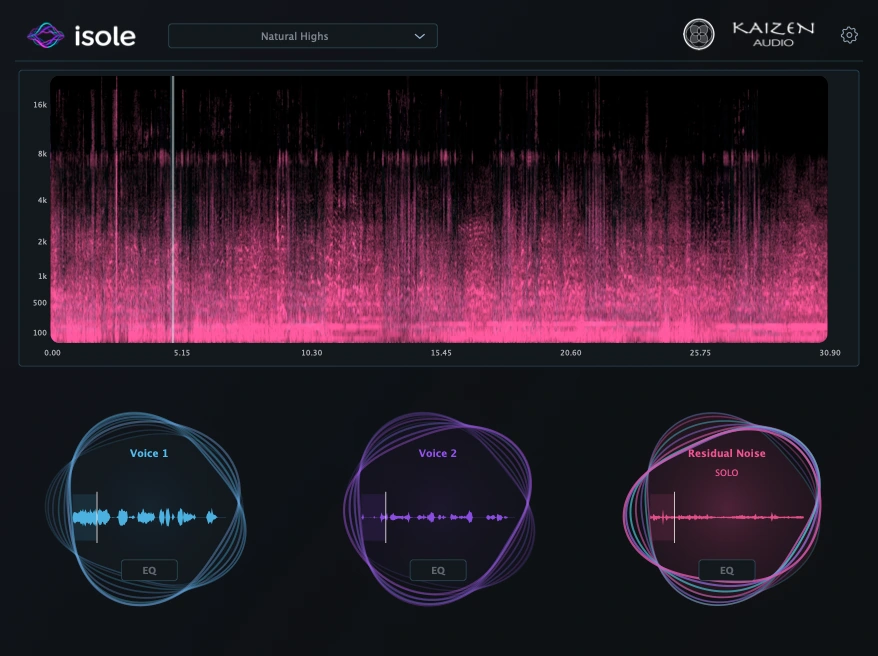
Hear the separation
Full recording
Voice isolation · control in the mix
Two people sharing a microphone, an interruption, a line spoken over another line. ISOLE separates the recording into two voice layers so you can work on each performance independently.
The residual remains available as a third layer. Bring the voices and the residual into your session, adjust their balance and processing, and keep the background you need around the dialogue.
Separation
Listen to each voice on its own, including the passages where the two performances overlap. Each result has its own waveform and Solo control, so you can compare the layers before bringing them back into the mix.
Keep the residual alongside the voices and decide what to use. This layer can include background noise, music and material left outside the isolated voices; it gives you another part of the recording to work with.
Isolate and audition each performance, even where both voices are speaking at the same time.
Retain the background as a separate layer and choose its place in the mix.
Bring the voices and residual into your DAW as separate layers and decide their balance in the scene.
Pro Tools
Select your mono take and open ISOLE in AudioSuite. Analyze separates the voices and residual. Choose the layer you need, listen with Preview and return it to the session with Render.
To bring all three layers into Pro Tools, make three copies of the original audio on separate tracks, aligned at the same start time. Render Voice 1 onto the first copy, Voice 2 onto the second and Residual Noise onto the third. Each render must use a copy of the original recording, not a previously rendered layer. The results retain the original duration and sample rate.
Mac app
Open a mono recording in the Mac app, compare the two voices and residual, then export the layers you want to work with. Export All writes all three parts as separate files.
Each layer is a 32-bit float WAV with its current EQ, at the original duration and sample rate. Import them into your DAW to control the voices and background independently in the mix.
From our studio
We built ISOLE using a new generation of local AI models, accelerated by the GPU and optimised for Apple Silicon, with one aim: getting the best voice separation we can from people recorded through the same microphone. The audio stays on your Mac, and the AudioSuite workflow stays inside the plugin.
It is already helping us rescue difficult dialogue on documentary and fiction projects at Blacktone — including takes where two voices speak over each other. Keeping both voices and the residual available separately gives us control over what goes back into the mix.
Designed by sound engineers, for sound engineers.
Get ISOLE
One licence for AudioSuite and the standalone Mac app. Try ISOLE on your dialogue recordings, including the moments where the voices overlap.
Perpetual licence · two activations · online or offline activation
Questions? hello@kaizen.audio
No. Separation runs locally on your Mac, accelerated by the GPU and optimised for Apple Silicon. The AudioSuite workflow stays inside the plugin; there is no audio upload to a cloud separation service. Licence activation is a separate online or offline workflow.
Yes. ISOLE is designed to separate two voices from the same mono recording, including overlapping speech. It also retains a residual layer. Listen to the result on your source material: leakage and separation artefacts can vary with the recording.
The public changelog records the current release and its included workflows.
Read the release notes →The current workflow is for mono recordings. In Pro Tools, select a mono take and use AudioSuite Mono Mode, Entire Selection and Create Continuous File.
ISOLE produces two voice layers and one residual layer. It is not a speaker-identification or unlimited-speaker transcription tool. The usefulness of each layer depends on the source recording.
No. ISOLE separates audio offline in AudioSuite or the standalone app. Wait for separation to complete before previewing, rendering or exporting the result.
It can contain noise, music, voice leakage and separation compensation. Listen to it before discarding it; its name is not a promise that it contains only noise.
Make three copies of the original audio on separate tracks, keeping them aligned at the same start time. Use ISOLE in AudioSuite to analyse the original audio on each copy, then select and Render Voice 1 on the first, Voice 2 on the second and Residual Noise on the third. Always start from the original audio for each render, not an already separated layer. AudioSuite renders one selected layer at a time; it does not create the three tracks automatically. The standalone app can export all three layers as separate WAV files with Export All.
This release requires Apple Silicon and macOS 14 or later. Intel Macs and Windows are not supported.
A perpetual licence for the AAX AudioSuite plugin and Mac app, with two activations. Both formats share activation in the scope you choose: this macOS user or all users of the Mac. Online and offline activation are available; no customer iLok licence is required.
Yes. The trial lasts seven days and requires a Kaizen account. Use it to evaluate separation on your own recordings.
Yes. The guide covers installation, activation, source requirements, the two processing modes, EQ, AudioSuite and export.
Read the manual →